


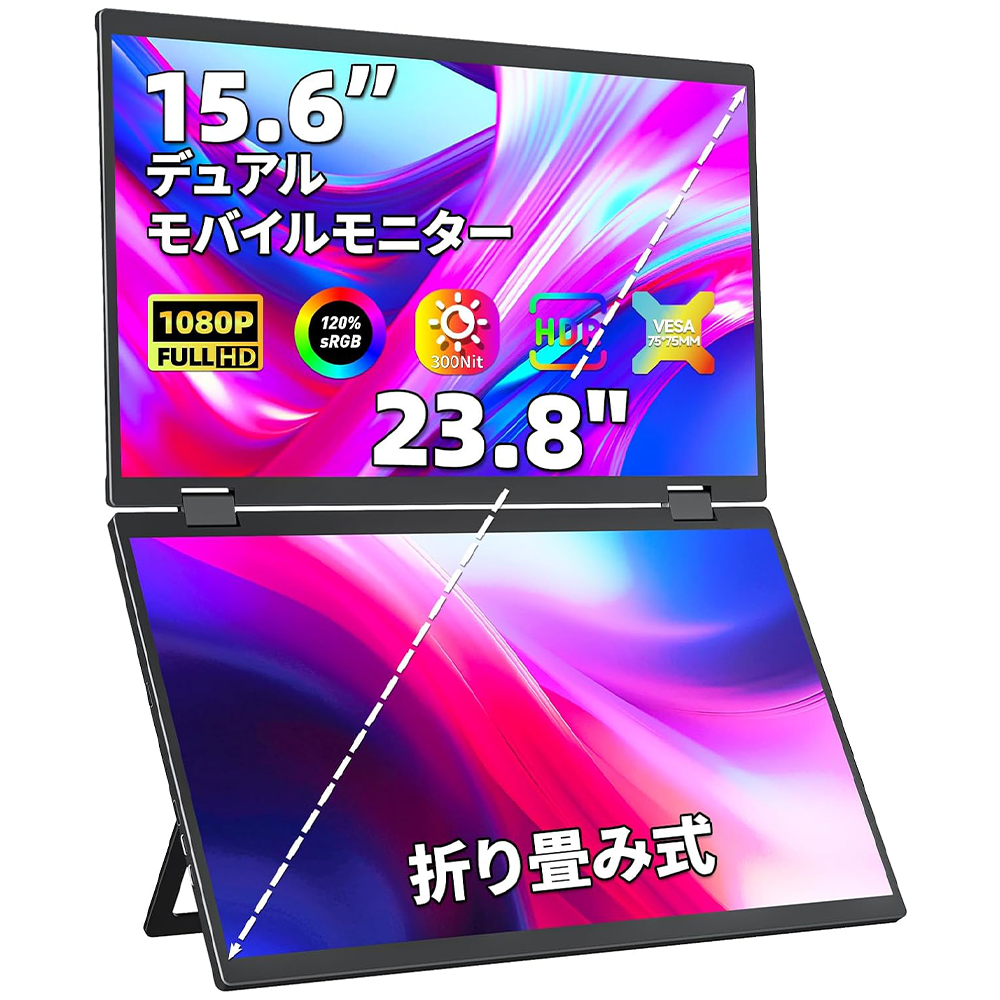
D-156
D-156
Expandable via USB AC connection. Installing the driver allows for a comfortable dual-screen environment.

Couldn't load pickup availability
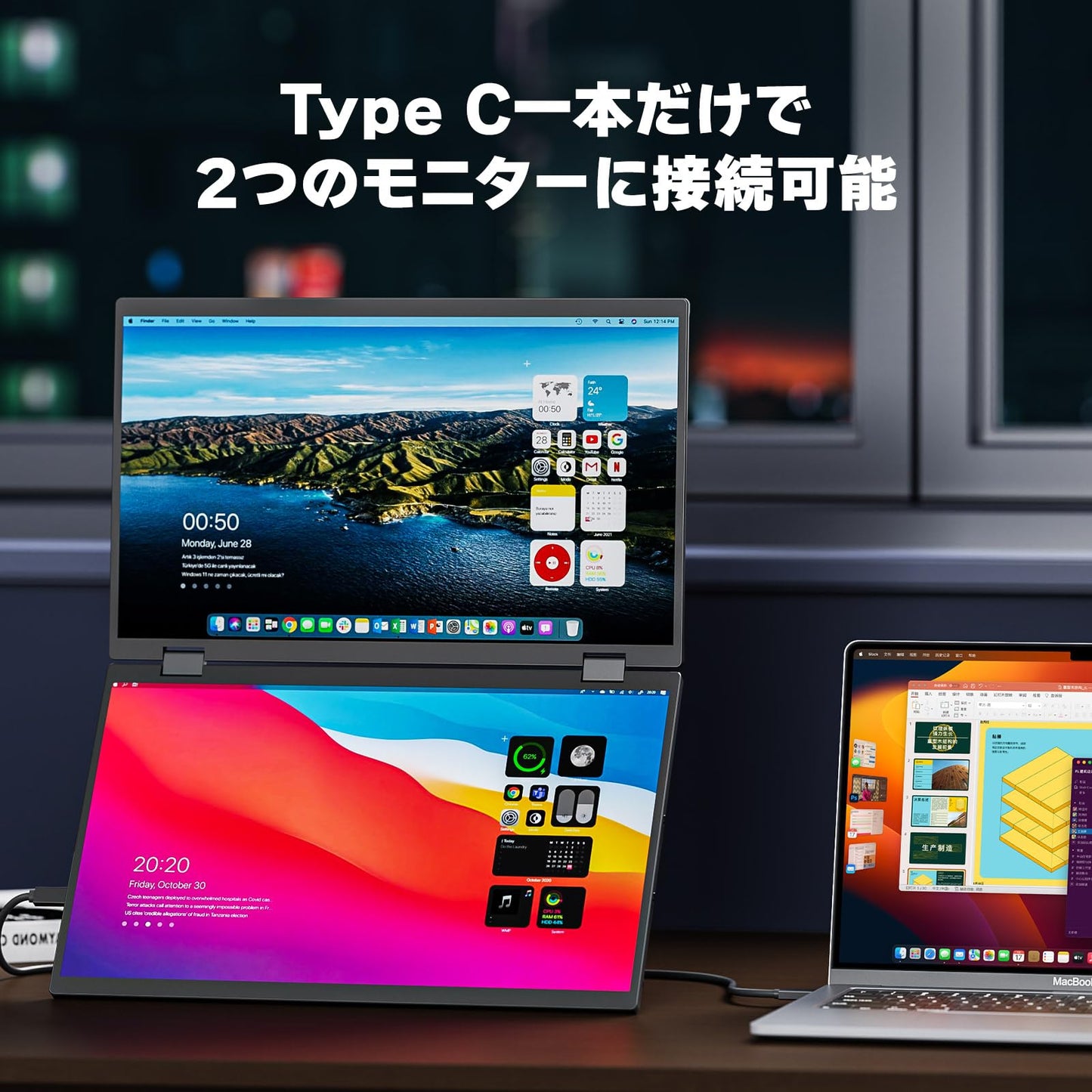
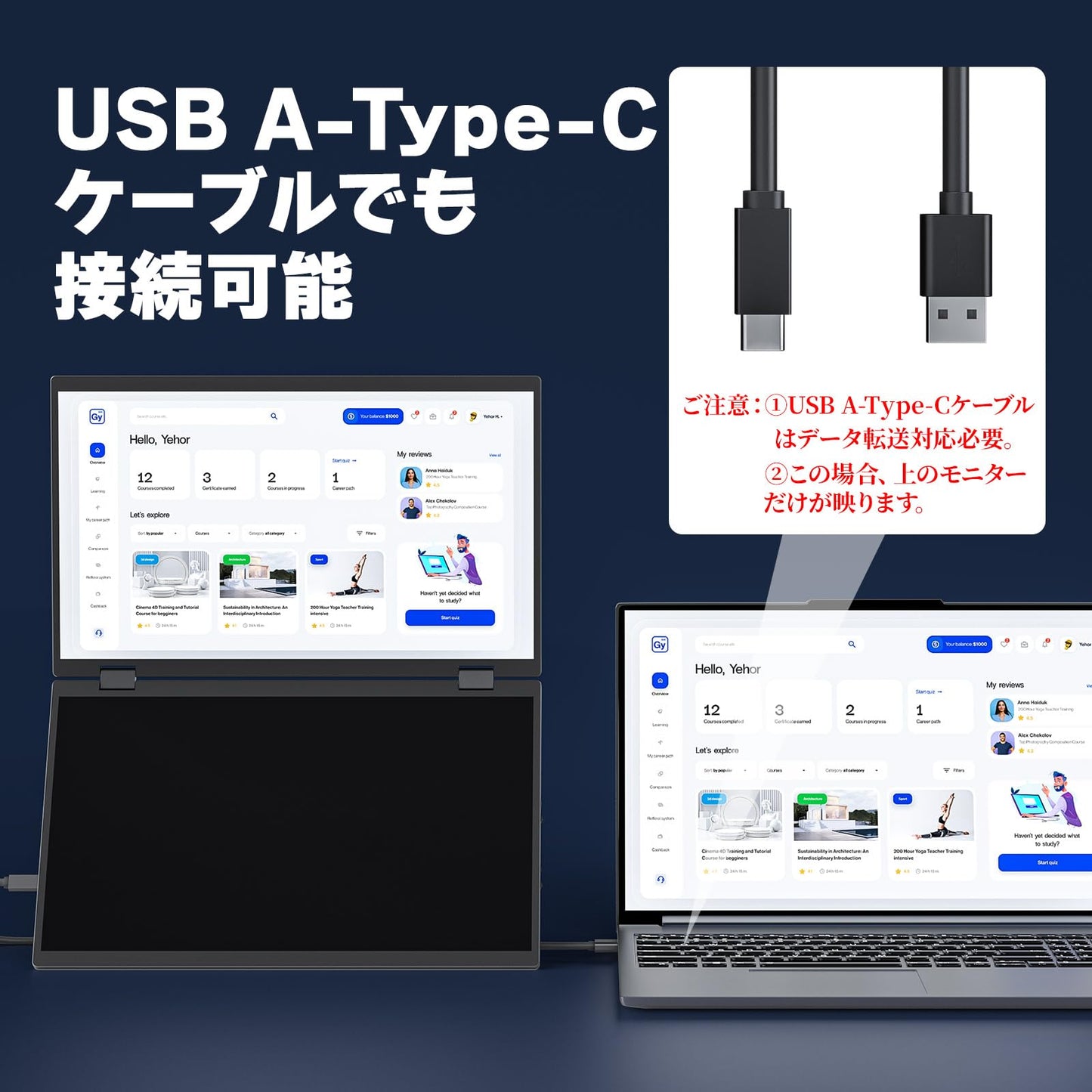

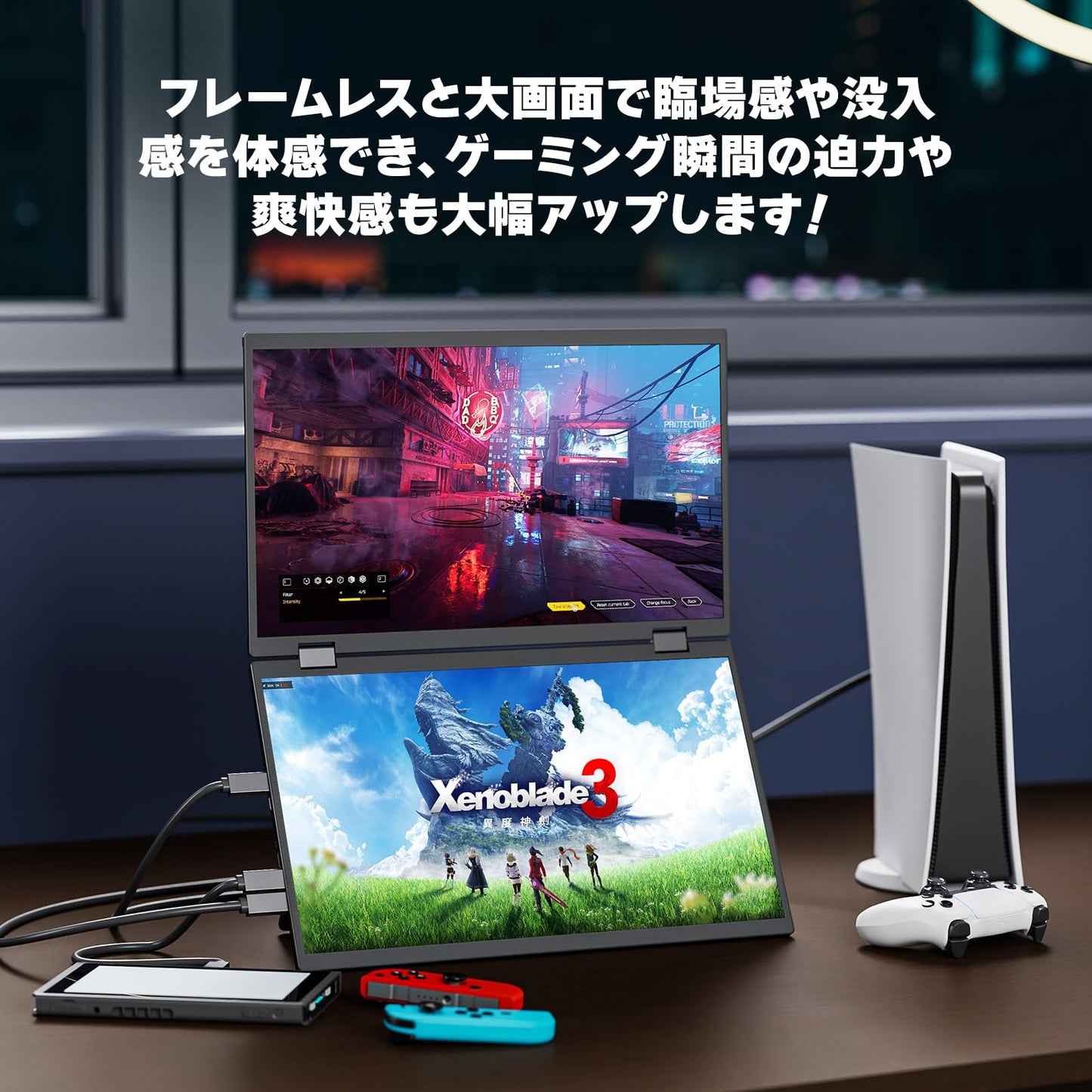
[Must-See Before Purchase!] ① There are three ways to work with three screens. Method 1: Connect to a PC with a Type-C-Type-C port that supports video output using a Type-C-Type-C cable! Method 2: Connect the top and bottom monitors with two HDMI cables. Method 3: Connect the bottom monitor via HDMI and the top monitor via USB A-Type-C. For methods 1 and 3, you will need to install the DisplayLink driver on your PC. Please refer to the instruction manual for installation instructions. macOS users should install a different version of the driver than 1.10.1. If you have any questions about the driver, please contact us. ② The monitor does not have a built-in battery, so it does not need to be charged when not in use, but it does require power when in use. ③ If you power it directly from your computer, the computer's power may drop and the power supply may be insufficient. In this case, please power it with an adapter. Powering it with a mobile battery is also possible. ④ When HDR/DCR is turned on, brightness and other settings cannot be adjusted. Turning HDR/DCR off will allow adjustments.
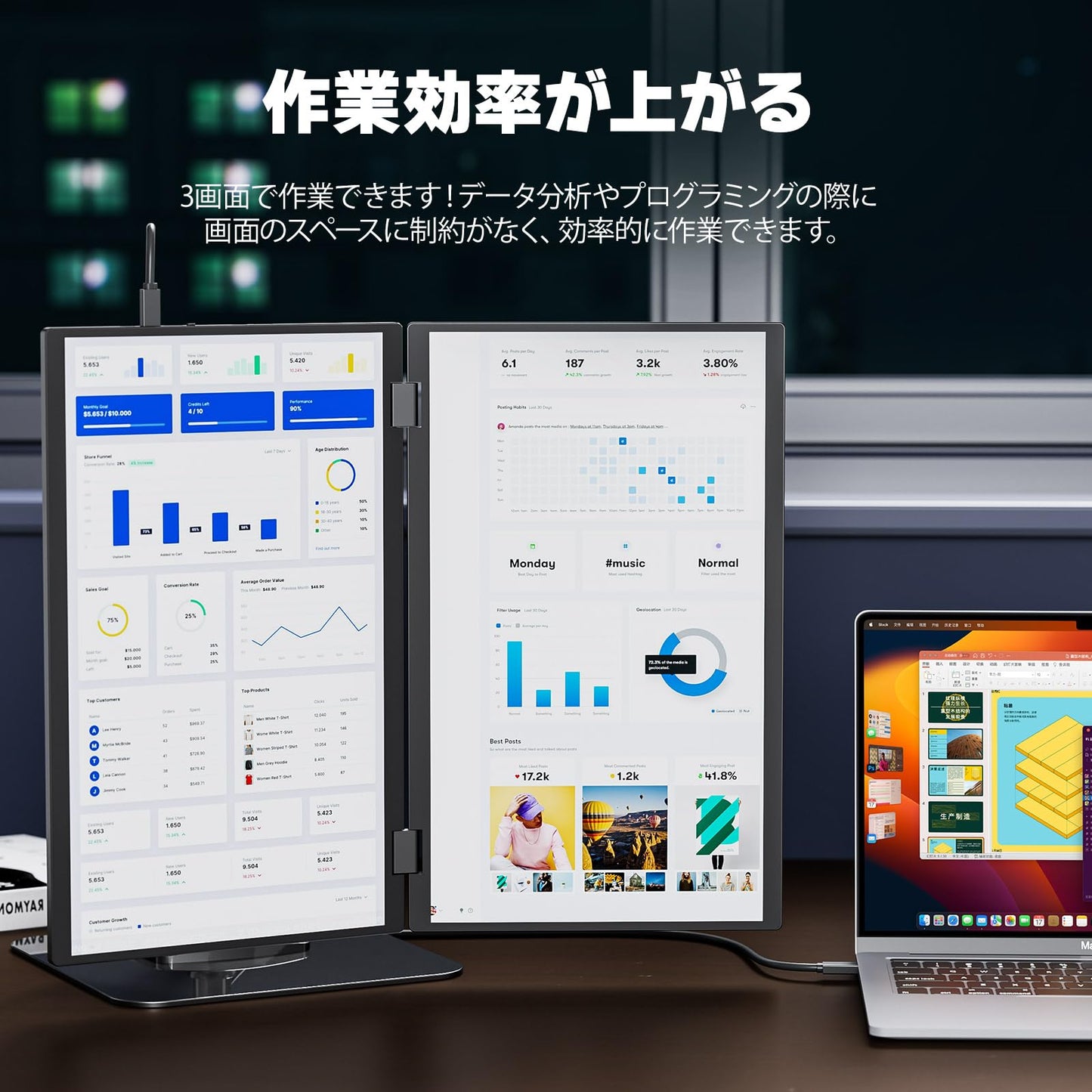
[Work with 3 screens & Easy to carry] Connect to your PC with just one Type-C to Type-C cable and work on 3 screens! You won't have to worry about screen space when analyzing data or programming, so you can get the job done! Just open it and you're ready to work. Fold it up like a PC, and it's easy to carry in your backpack for business trips! When folded, both monitors are inside, minimizing shocks and ensuring durability!
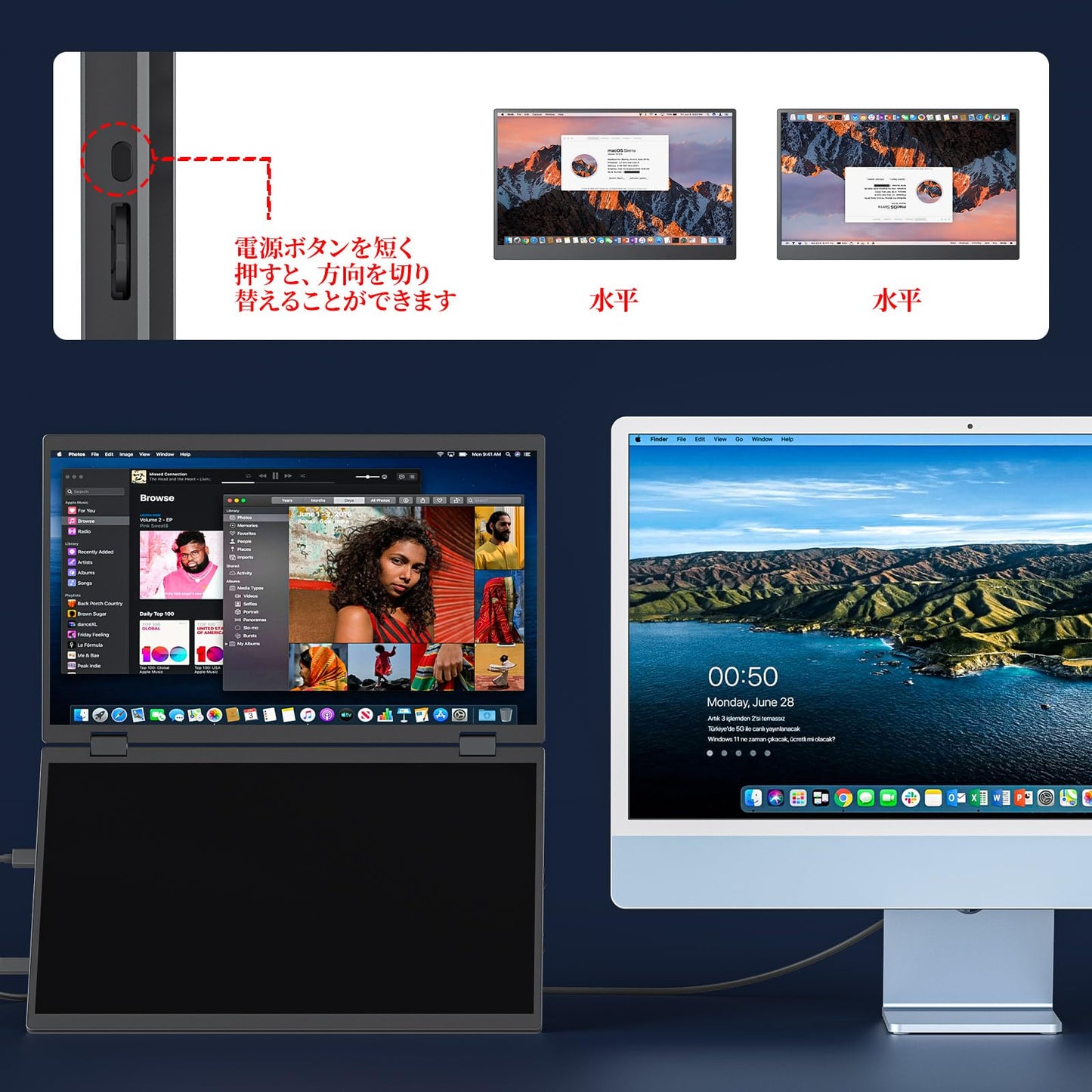
[Abundant connection methods, USB A-Type C connection possible, screen rotation] 1. First of all, its biggest selling point is that it can be connected with just one Type C-Type C cable! If the connected device is a PC, two monitors can be displayed simultaneously! 2. Both the top and bottom monitors can be connected via mini HDMI! 3. The top monitor can also be connected via USB A-Type C! Similar products with this kind of connection method are rare! 4. The top monitor can be easily rotated up and down by simply pressing the power button on the top!
[Self-standing stand, 4 VESA holes, and numerous anti-slip rubbers] The stand is self-standing and can be freely adjusted from 0° to 120°. It also has four VESA holes, so it can be attached to a VESA arm without any wobble. Plus, numerous anti-slip rubbers ensure stability.
[Wide Compatibility - Simultaneous Connection of Two Devices] Compatible with a wide range of devices, including laptops, desktops, smartphones, PS4/PS5, XBOX ONE, Wii, Nintendo Switch, and Raspberry Pi. You can also connect the two monitors to separate devices. For example, connect one monitor to a Nintendo Switch via Type-C and the other to a PlayStation via HDMI, so both kids can enjoy gaming!
技術仕様
- 画面サイズ
- 15.6 inches
- パネルタイプ
- Anti-gloss IPS
- 視野角
- 178°
- 解像度
- 1920 × 1080
- アスペクト比
- 16:9
- 輝度
- 300 cd/m²
- コントラスト比
- 1000:1
- 色域
- 120% sRGB
- 表示色
- 8bit (16.7M)
- リフレッシュレート
- 60 Hz
- 応答速度
- 5ms
- スタンド機能
- Tilt 120°
- VESA
- 75×75mm (M4×6mm)
- スピーカー
- 〇
- 入力端子
- Type-C、Type-C、mini HDMI、mini HDMI